Factories > Harnesses
Choosing agent harnesses
# Choosing agent harnesses A harness is the agent runtime that works on a task. Choose the [Warp Agent](/factories/harnesses/warp-agent/), [Claude Code](/factories/harnesses/claude-code/), or [Codex](/factories/harnesses/codex/) for each factory agent. For example, use Claude Code for an implement agent and the Warp Agent for a review agent. Set the harness, model, and team-owned authentication in [Configuring factory agents](/factories/factory-agents/configuration/#configuring-a-third-party-harness). For file-based configuration, set a default or per-agent override in the [factory definition](/factories/factory-as-code/#agentdefaultsharness). You can also select a harness for a standalone cloud run without creating a factory. The walkthrough shows these standalone cloud-agent surfaces. <VideoEmbed url="https://www.youtube.com/watch?v=ZUYyuA5i1VU" title={`Run any agent in the cloud with the Automation Platform - Claude Code, Codex, or Warp Agent`} /> <span id="what-stays-the-same" /> ## Shared cloud-run capabilities * **Triggers** - Select a harness for agents launched by [factory automations](/factories/automations/) or standalone [triggers](/platform/triggers/). * **Environments and secrets** - Configure the run's [environment](/factories/environments/) and credentials. Factory agents use [factory secrets](/factories/secrets/); standalone runs have their own [secret configuration](/platform/secrets/). * **Instructions** - Use [skills](/agents/capabilities/skills/) for reusable work and [Rules](/agents/capabilities/rules/) for project guidance. Harnesses have their own tool and context behavior; selecting a harness does not make every local feature available in a cloud run. * **Observability** - Inspect factory runs in the factory dashboard, or standalone runs in the [cloud agent dashboard](/platform/managing-cloud-agents/). ## Plan requirements Third-party harness access depends on your plan and workspace settings. If a harness requires an upgrade, use the Warp Agent or review [Warp pricing](https://www.warp.dev/pricing). A team admin can also disable a harness for the workspace. ## Billing With the [provider credentials described here](/factories/harnesses/authentication/), your inference provider bills your account. Warp charges for [Warp-hosted compute](/support-and-community/plans-and-billing/credits/#compute-usage) and [platform usage](/support-and-community/plans-and-billing/platform-credits/) according to your plan or contract. External inference bills are not fully represented in Warp's [cost summaries](/support-and-community/plans-and-billing/credits/#charges-and-estimates). ## How to switch harnesses For a factory agent, follow [Configuring factory agents](/factories/factory-agents/configuration/). The following alternatives select a harness for a standalone run. ### Warp app In the Warp app's Cloud Mode, choose a harness from the "Agent harness" dropdown above the input. <figure style={{ maxWidth: "375px" }}>  <figcaption>The Agent harness selector.</figcaption> </figure> :::note You can enter Cloud Mode by creating a new **Cloud Agent** tab or by using the `/cloud-agent` slash command. ::: ### Web app In the Oz web app, open the new run or new schedule pane. In the "Harness" dropdown, choose the harness. ### API and SDK Set the agent config's `harness.type` to one of the [harness identifiers](#harness-identifiers). The API takes a harness object, not a bare harness string. See the [API reference](/factories/api-and-sdk/) for the schema and authentication fields. ## Harness identifiers Use `oz` for the Warp Agent, `claude` for Claude Code, and `codex` for Codex in stored configuration: * **API and SDK** - The agent config's `harness.type` accepts `oz`, `claude`, or `codex`. * **CLI** - In the Oz CLI, `oz agent run-cloud --harness` accepts these identifiers, plus `claude-code` as an alias for `claude`. * **Factory definition files** - Use `oz`, `claude`, or `codex` in [`harness.type`](/factories/factory-as-code/#agentdefaultsharness). `claude-code` is also accepted as a Claude Code alias. Agent orchestration tools can use `claude-code` as their Claude Code label. Follow the schema for the surface you're using rather than copying a tool-call label into an API request. ## Related pages * [Configuring factory agents](/factories/factory-agents/configuration/) - Select a harness and its team-owned auth secret * [Warp Agent](/factories/harnesses/warp-agent/) * [Claude Code](/factories/harnesses/claude-code/) * [Codex](/factories/harnesses/codex/) * [Configuring harness authentication](/factories/harnesses/authentication/) * [Multi-agent orchestration](/platform/orchestration/) - Coordinate ad hoc parent and child agents * [Third-party CLI agents overview](/agents/cli-agents/overview/) - Run CLI agents locally in WarpTell me about this feature: https://docs.warp.dev/factories/harnesses/Choose the Warp Agent, Claude Code, or Codex for factory agents and standalone cloud runs, with authentication scoped to each workflow.
A harness is the agent runtime that works on a task. Choose the Warp Agent, Claude Code, or Codex for each factory agent. For example, use Claude Code for an implement agent and the Warp Agent for a review agent.
Set the harness, model, and team-owned authentication in Configuring factory agents. For file-based configuration, set a default or per-agent override in the factory definition.
You can also select a harness for a standalone cloud run without creating a factory. The walkthrough shows these standalone cloud-agent surfaces.
Shared cloud-run capabilities
Section titled “Shared cloud-run capabilities”- Triggers - Select a harness for agents launched by factory automations or standalone triggers.
- Environments and secrets - Configure the run’s environment and credentials. Factory agents use factory secrets; standalone runs have their own secret configuration.
- Instructions - Use skills for reusable work and Rules for project guidance. Harnesses have their own tool and context behavior; selecting a harness does not make every local feature available in a cloud run.
- Observability - Inspect factory runs in the factory dashboard, or standalone runs in the cloud agent dashboard.
Plan requirements
Section titled “Plan requirements”Third-party harness access depends on your plan and workspace settings. If a harness requires an upgrade, use the Warp Agent or review Warp pricing. A team admin can also disable a harness for the workspace.
Billing
Section titled “Billing”With the provider credentials described here, your inference provider bills your account. Warp charges for Warp-hosted compute and platform usage according to your plan or contract. External inference bills are not fully represented in Warp’s cost summaries.
How to switch harnesses
Section titled “How to switch harnesses”For a factory agent, follow Configuring factory agents. The following alternatives select a harness for a standalone run.
Warp app
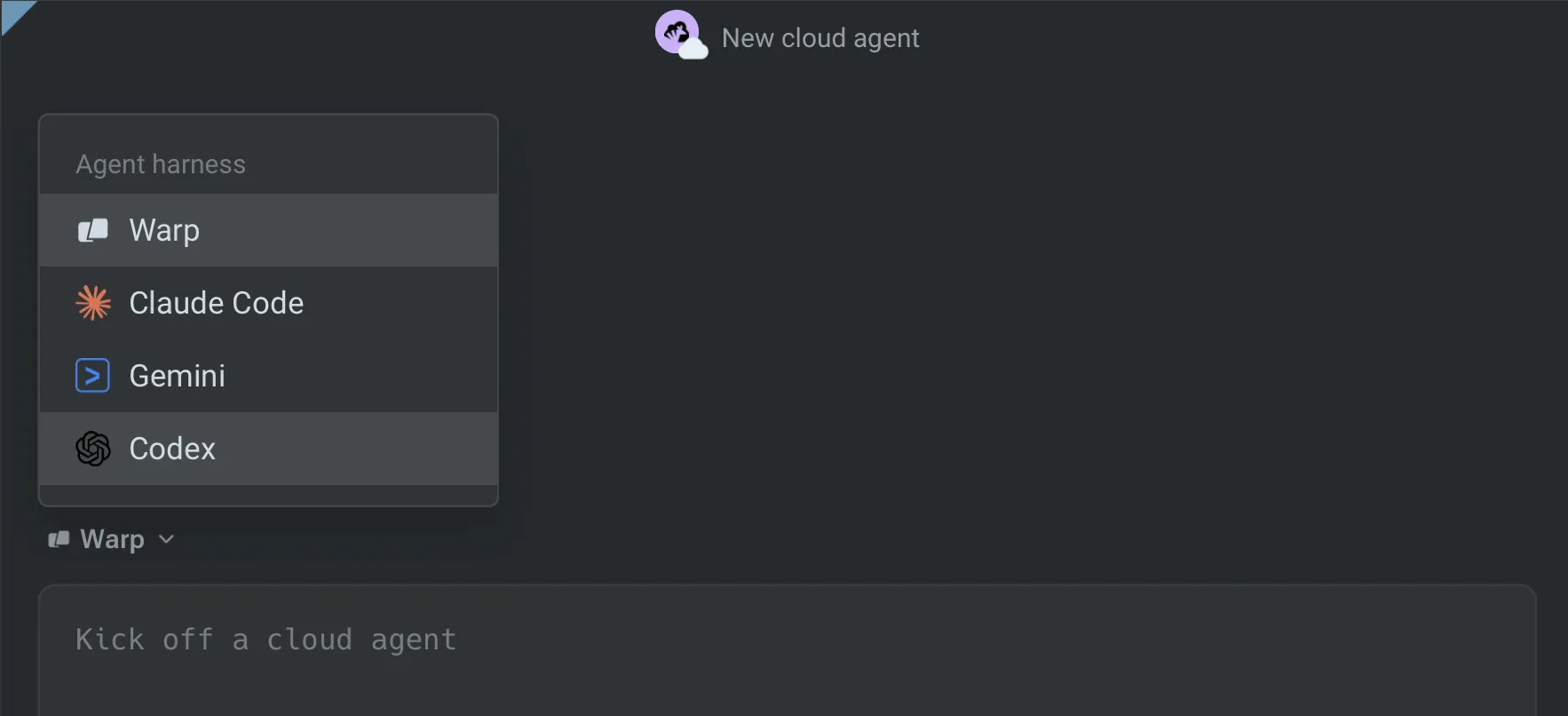
Section titled “Warp app”In the Warp app’s Cloud Mode, choose a harness from the “Agent harness” dropdown above the input.
Web app
Section titled “Web app”In the Oz web app, open the new run or new schedule pane. In the “Harness” dropdown, choose the harness.
API and SDK
Section titled “API and SDK”Set the agent config’s harness.type to one of the harness identifiers. The API takes a harness object, not a bare harness string. See the API reference for the schema and authentication fields.
Harness identifiers
Section titled “Harness identifiers”Use oz for the Warp Agent, claude for Claude Code, and codex for Codex in stored configuration:
- API and SDK - The agent config’s
harness.typeacceptsoz,claude, orcodex. - CLI - In the Oz CLI,
oz agent run-cloud --harnessaccepts these identifiers, plusclaude-codeas an alias forclaude. - Factory definition files - Use
oz,claude, orcodexinharness.type.claude-codeis also accepted as a Claude Code alias.
Agent orchestration tools can use claude-code as their Claude Code label. Follow the schema for the surface you’re using rather than copying a tool-call label into an API request.
Related pages
Section titled “Related pages”- Configuring factory agents - Select a harness and its team-owned auth secret
- Warp Agent
- Claude Code
- Codex
- Configuring harness authentication
- Multi-agent orchestration - Coordinate ad hoc parent and child agents
- Third-party CLI agents overview - Run CLI agents locally in Warp